Curved gaming monitors are about geometry more than “better image quality”: the deeper the curve, the more the edges stay the same distance from your eyes—reducing head/eye movement and boosting immersion. The bigger/wider the screen (34" ultrawide, 49" super‑ultrawide), the more curvature matters; at 27" 16:9 it’s mostly preference unless you sit close.
- Deeper curve can feel amazing for single‑player/racing/sim, but can feel “warped” for spreadsheets, design, or if you sit far back.
- Many curved gaming options are VA (great contrast, but more risk of dark‑scene smearing) while premium picks use (QD-)OLED (best motion + contrast, but has OLED care / burn‑in considerations for heavy static desktop use).
Curve ratings (1000R / 1500R / 1800R) — what they mean
The “R” is the radius of a circle the monitor would form.
- 1000R (deep curve): matches the rough radius of human vision; best when you sit close and/or the monitor is very wide. Most immersive, but most “curved-feeling.”
- 1500R (moderate-deep): the mainstream sweet spot—noticeably immersive without being too polarizing.
- 1800R (moderate): gentler; still helps on ultrawides, usually feels more “normal” for mixed work + play. Rule of thumb:
- 27" 16:9: curvature is optional (nice-to-have).
- 32" 16:9: curvature starts to help, especially 1000R–1500R.
- 34" 21:9 ultrawide: curvature is strongly recommended.
- 49" 32:9 super-ultrawide: curvature is practically mandatory for comfort.
When curved matters vs flat
Curved helps most when…
- You play immersive genres (racing, flight/space sims, RPGs) or use ultrawide/super‑ultrawide
- You sit relatively close (common on desks)
- You want less “edge stretch” and less head turning (especially at 34"/49")
Flat can be better when…
- You do color/layout work where straight lines must look straight (CAD, design, print)
- You share the screen often (off‑angle viewing)
- You run multi‑monitor setups (curved + curved can be awkward unless matched)
Best curved gaming monitors by size (curved 16:9 + ultrawide)
27" (16:9 curved) — best all‑around “true gaming” pick
- Samsung 27" Odyssey G65B (from $399.00 - 4 sellers) — 240Hz QHD with a 1000R curve: the “competitive‑leaning” curved option (deep curve, very immersive, very fast).
Value alternative (great deal):
- Lenovo 27" Legion R27fc-30 (from $179.99 - 5 sellers) — 1500R, 240Hz, and a strong value pick with a notable discount.
32" (16:9 curved) — best “endgame” image + speed
- MSI 32" MPG 321CURX QD-OLED (from $879.99 - 10 sellers) — 4K 240Hz QD‑OLED with a 1700R curve: top-tier motion/contrast for both competitive and cinematic gaming (just know OLED care is part of ownership).
Best-value big-screen curved:
- Alienware 31.5" AW3225DM Curved (from $249.99 - 4 sellers) — 1440p 180Hz VA, priced like a steal for the size/performance.
Deal-driven VA pick:
- Samsung 32" Odyssey G5 Curved (from $243.52 - 13 sellers) — strong specs for the money and currently discounted.
34" (21:9 ultrawide curved) — best “wow factor” for most gamers
- ⚡ DEAL ALERT: LG 34" UltraGear Monitor (34GS95QEB) (from $799.99 - 5 sellers) — 800R curved OLED at 240Hz with a major discount. This is a “cinematic + esports” monster if your desk depth can handle it and you’re okay with OLED care.
If you want a more traditional curve feel:
- Alienware 34.2" AW3425DW (from $749.99 - 5 sellers) — 1800R QD‑OLED ultrawide with 240Hz; a premium, safer‑feeling curvature vs 800R.
49" (32:9 super‑ultrawide curved) — best single‑monitor “command center”
- MSI 49" MPG 491CQPX QD-OLED (from $999.99 - 7 sellers) — 5120×1440 at 240Hz with an 1800R curve: huge immersion + productivity, with top-tier OLED motion/contrast.
If you specifically want Samsung’s OLED G9 experience:
- Samsung 49" Odyssey OLED G9 Curved (from $1,197.99 - 8 sellers) — gorgeous when you get a good unit, but reviews show more support/QC drama than I’d like at this price.
Side-by-side (one “best pick” per key size)
| Decision factor | Samsung 27" Odyssey G65B  |
MSI 32" MPG 321CURX QD-OLED 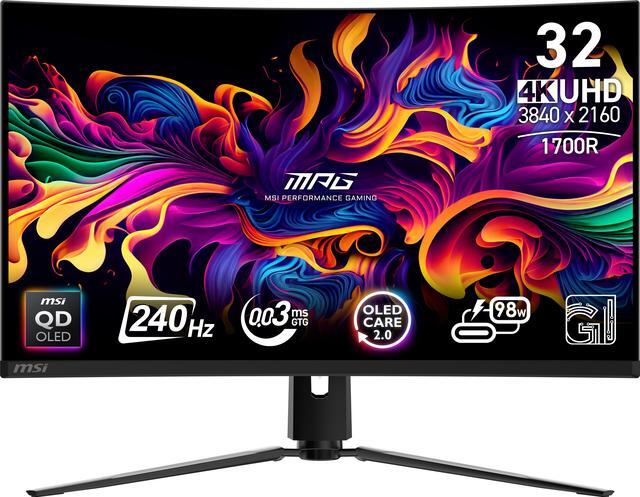 |
LG 34" UltraGear (34GS95QEB) 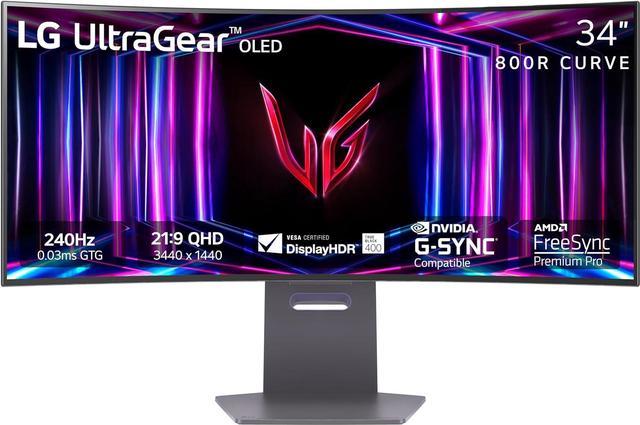 |
MSI 49" MPG 491CQPX QD-OLED  |
|---|---|---|---|---|
| Price | $399.00 | $879.99 | $799.99 | $999.99 |
| Sifty Score | 94 | 98 | 91 | 93 |
| Size / aspect | 27" 16:9 | 32" 16:9 | 34" 21:9 | 49" 32:9 |
| Panel | VA | QD‑OLED | OLED | OLED |
| Resolution | 2560×1440 | 3840×2160 | 3440×1440 | 5120×1440 |
| Refresh rate | 240Hz | 240Hz | 240Hz | 240Hz |
| Curve | 1000R (deep) | 1700R (moderate) | 800R (very deep) | 1800R (moderate) |
| Why curvature here | Optional-but-immersive at 27" | Helps comfort at 32" | Strongly beneficial on ultrawide | Essential on super‑ultrawide |
| Gotchas | VA can show some dark-scene smearing vs OLED | OLED care / brightness vs bright-room LCDs | Very deep curve + OLED care (not for everyone) | Needs strong GPU; OLED care; huge desk footprint |
| Best for | Competitive QHD gaming with max immersion | “Endgame” 4K high‑FPS gaming | The most immersive ultrawide experience (esp. single‑player/sim) | One-monitor replacement for dual screens + flagship gaming |
What I’d pick (and what I need to confirm)
If you want the smartest “most people will love it” curved upgrade, I’d start at 34" ultrawide, specifically ⚡ DEAL ALERT: LG 34" UltraGear (34GS95QEB) (from $799.99 - 5 sellers) if you’re OLED‑comfortable—34" is where curved stops being a preference and becomes a real ergonomic/immersion advantage.
To lock in the right size/curve for you, two quick questions:
1) How deep is your desk (front edge to wall/monitor)?
2) What GPU/console are you driving this with (matters a lot for 4K 240Hz and 49" 240Hz)?
PC midrange) PC high-end) PS5/Xbox
See 39 results