OLED gaming monitors are the current king for contrast and motion clarity: per‑pixel lighting gives effectively infinite contrast (true blacks, no IPS glow), and OLED pixel response is so fast that blur is more limited by refresh rate than panel transitions. The honest downsides are real, though: burn‑in risk (image retention) is not zero, and full‑screen brightness is typically lower than good LCDs—especially noticeable in bright rooms and with lots of white UI.
- If you play a mix of HDR/cinematic games and want the most “wow,” prioritize OLED/QD‑OLED.
- If you do lots of static desktop work (taskbars, spreadsheets, fixed HUDs) or you want “set it and forget it” longevity, IPS/Mini‑LED can be the safer stress‑free choice.
Best OLED gaming monitors right now (from the strongest options in this list)
My #1 “most people” pick (speed + clarity + value)
The MSI 27" MPG 271QRX QD‑OLED (from $599.99 - 5 sellers) is the sweet spot for competitive gaming: 360Hz, extremely fast response, and top-tier contrast/color—without pushing into the pricey 4K 240Hz bracket.
- Why it wins: maximum motion clarity for esports + OLED blacks for single‑player
- Real tradeoffs: some users mention text clarity not being perfect for office-heavy use (common on many OLED layouts), and OLED care features can be annoying depending on how you use it
Best “premium 4K OLED” pick (if you want top-end image + sharpness)
The ASUS ROG Swift 32" PG32UCDM (from $1,239.98 - 10 sellers) is the “do it all” 4K OLED style choice: 4K + 240Hz with excellent HDR/contrast once dialed in.
- Why it wins: high-end 4K gaming + OLED contrast in a classic 32" size
- Honest downsides: very expensive, and multiple reviews call out burn‑in concern and intrusive pixel refresh/cleaning; also some mention blackouts/QC variance (worth buying from a retailer with easy returns)
Best ultrawide OLED value (immersive without going overboard)
The Alienware 34" AW3423DWF (from $683.55 - 2 sellers) remains one of the cleanest ultrawide OLED buys: 34" 3440×1440 at 165Hz with excellent contrast and a strong owner-reputation.
- Why it wins: immersion + OLED blacks + usually strong tuning out of the box
- Tradeoffs: not the fastest in this group on refresh rate; ultrawide is amazing for games but can be hit-or-miss for certain competitive titles and streaming capture workflows
Burn‑in concerns: what’s real, what’s manageable
Burn‑in risk is workload-dependent:
- Higher risk: hours/day of static UI (MMO HUDs, always-on minimaps, fixed browser/toolbars), max brightness, no screen sleep, same game for months
- Lower risk: varied content, auto-hide taskbar, reasonable brightness, letting the monitor run its compensation/pixel refresh cycles
Practical reality from the monitors here: a lot of the top OLED options (notably several MSI/ASUS/Samsung listings) get complaints like “invasive panel protection,” “maintenance mode interrupts usage,” or forced refresh reminders. That’s not “bad,” it’s the monitor doing what it must to reduce long‑term retention—but it can be annoying if you want a pure appliance-like experience.
Response times & how OLED compares to IPS and VA (honest tradeoffs)
OLED / QD‑OLED
- Best: near‑instant pixel response → very clear motion, minimal smearing
- Best: perfect blacks and extremely high perceived contrast
- Tradeoffs: burn‑in risk + brightness limits; some models show text fringing/clarity complaints for desktop work
IPS (including “Fast IPS”)
- Best: strong all‑arounder for desktop clarity and “no worries” longevity
- Better than VA for: dark-scene consistency (less black smearing)
- Tradeoffs vs OLED: weaker blacks (IPS glow), lower perceived contrast, HDR usually less convincing unless it’s Mini‑LED with lots of dimming zones
VA
- Best: higher native contrast than IPS (good for dark rooms on a budget)
- Tradeoffs vs OLED: slower dark-level transitions can cause black smearing/ghosting; still not true blacks; HDR varies widely
Side-by-side (quick decision view)
MSI 27" MPG 271QRX QD‑OLED 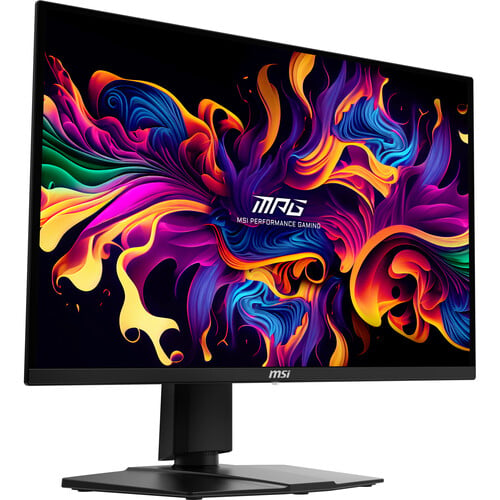 |
MSI 32" MPG 321URX QD‑OLED 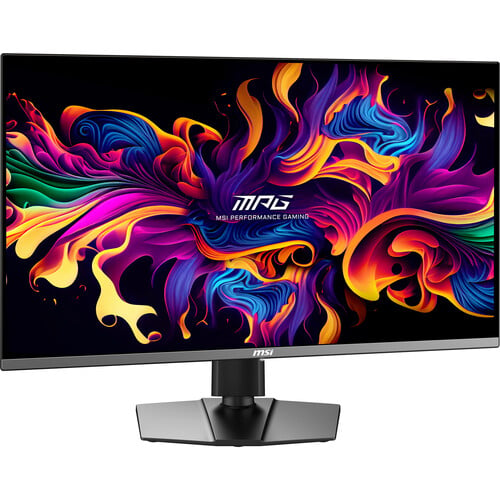 |
ASUS ROG Swift 32" PG32UCDM 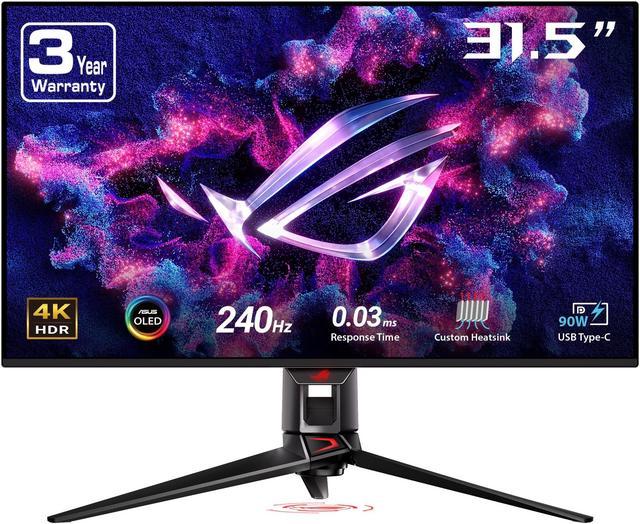 |
Alienware 34" AW3423DWF 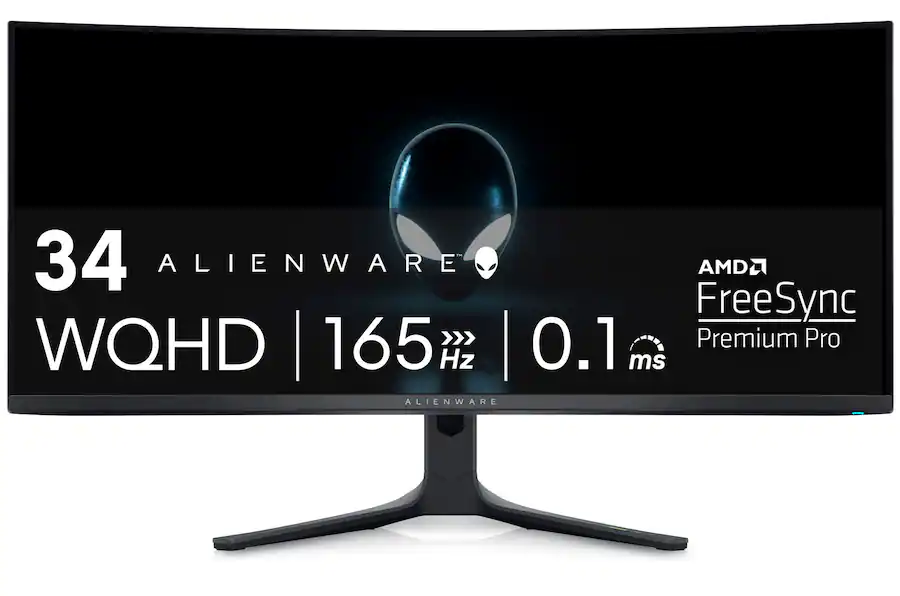 |
|
|---|---|---|---|---|
| Price (from results) | $599.99 | $829.99 | $1239.98 | $683.55 |
| Sifty Score | 97 | 96 | 95 | 94 |
| Segment | High-FPS esports OLED | 4K “balanced” OLED | Premium 4K flagship OLED | Immersive ultrawide OLED |
| Res / Refresh | 1440p / 360Hz | 4K / 240Hz | 4K / 240Hz | 3440×1440 / 165Hz |
| Response time (listed) | 30 µs | 30 µs | 30 µs | 100 µs |
| Contrast / blacks | OLED true blacks | OLED true blacks | OLED true blacks | OLED true blacks |
| Burn‑in / protection UX (from reviews) | Some text clarity & OLED care friction reported | Generally great; some stuck pixel & brightness complaints | Burn‑in worry + intrusive cleaning mentioned | Less “protection annoyance” chatter; more straightforward day-to-day |
| Best for | Competitive shooters + also looks incredible | “One monitor” for PC/console 4K gaming | If you want the nicest 32" 4K OLED and accept the price | Single‑player immersion + productivity space |
What I’d pick
If you want the best overall gaming experience without overpaying, I’d buy the MSI 27" MPG 271QRX QD‑OLED (from $599.99 - 5 sellers) (360Hz is the big differentiator, and OLED contrast covers the cinematic side too). If you’re set on 4K, the MSI 32" MPG 321URX QD‑OLED (from $829.99 - 11 sellers) is the more rational 4K/240 choice versus the pricier ASUS.
To lock this to one perfect recommendation, what’s your priority?
See 151 results