Ultrawide “best” really splits into two tiers: 34" 21:9 (3440×1440) is the sweet spot for most desks/GPUs, while 49" 32:9 (5120×1440) is a “dual‑monitor replacement” that’s incredible in the right games but can be hit‑or‑miss in competitive/esports titles and older games. Also: most gaming ultrawides are curved (flat options are rarer), because curvature helps keep the edges at a similar viewing distance—especially on 49".
- For pure image quality + motion clarity: OLED/QD‑OLED is the top tier (but comes with OLED care/maintenance behaviors).
- For value: VA 34" 3440×1440 high‑refresh models are the best bang-for-buck, but can show more dark‑scene smearing/ghosting than OLED.
My best picks (34" + 49")
Best 34" ultrawide gaming monitor (overall)
Get the Alienware 34" AW3423DWF Curved (from $683.55 - 3 sellers) if you want the most consistent “wow” factor for games (OLED contrast, color, fast response) without jumping to 49". It’s also extremely well-liked (high Sifty Score with lots of ratings), and 3440×1440 is much easier to drive than 49" dual‑QHD.
Best 49" super‑ultrawide (most people should start here)
Get the MSI 49" MPG 491CQPX QD-OLED (from $999.99 - 6 sellers) if you want the full 32:9 experience with 5120×1440 and very high refresh for smoothness. It’s the “go big” option that still makes sense for gaming-first setups.
Best value 49" (deal pick)
⚡ DEAL ALERT: Samsung 49" Odyssey G9 Curved Monitor (G91SD) (from $879.99 - 6 sellers) is a strong value play right now (big discount) if you want 49" immersion/multitasking without paying top dollar for the latest/highest-refresh variants.
Best “value OLED” 34" alternative (great deal)
⚡ DEAL ALERT: LG 34" UltraGear (34GX900AB) (from $799.99 - 5 sellers) is another excellent 34" OLED ultrawide pick—especially at its current discount—if you want OLED but Alienware is out of budget or you prefer LG’s tuning/feature set.
Curved vs flat (what actually changes)
Curved (recommended for most gamers)
- Better edge comfort on 34", and much better on 49" (less head turning / refocus strain).
- More immersive in racing, flight, open-world, and cinematic games.
- Minor “gotcha”: straight-line work (some design/layout tasks) can feel a bit odd, depending on the curve strength.
Flat (better for certain work, rarer for gaming ultrawides)
- Preferred for CAD/layout/print work and if you’re very sensitive to geometric distortion.
- In the current gaming‑leaning 34"/49" high‑refresh results, flat options basically don’t show up—most models are curved by design. If you need flat, tell me and I’ll broaden the search specifically for flat ultrawides (often means lower refresh or more “productivity” oriented models).
Resolution options (34" and 49") and what they’re for
- 34" 3440×1440 (21:9): best overall balance. Sharp enough, great FOV, and achievable FPS on mid‑to‑high GPUs.
- 49" 5120×1440 (32:9, “Dual‑QHD”): huge workspace + immersion. Demands more GPU (roughly like driving ~2× 1440p side-by-side).
- 49" 3840×1080 (32:9): easier to run, but noticeably less sharp (text/game UI can look chunky at 49"). Only choose this if your GPU is modest or you prioritize FPS over clarity. Example: ASUS 49" ROG Strix (3840×1080) (from $799.00 - 11 sellers).
Which games support ultrawide well (and where it’s messy)
Typically excellent in ultrawide
- Racing/driving sims, flight/space sims, many modern single-player AAA titles, and a lot of third‑person action/adventure games.
- In these, ultrawide usually gives a real advantage: wider peripheral vision without feeling “zoomed out.”
Often mixed / needs tweaking
- Competitive shooters and some esports titles: you’ll sometimes get black bars, limited FOV scaling, or the game forces 16:9 for fairness.
- Older games and some Japanese PC ports: UI/HUD can be stretched or mispositioned.
49" 32:9-specific reality check
- Even when 21:9 works great, 32:9 may not be fully supported (or may feel too wide). Many people end up using:
- windowed/borderless with custom resolutions,
- in-game scaling, or
- Picture-by-Picture for “two screens” behavior (more common on 49" models).
Side-by-side (top picks across 34" and 49")
| Decision factor | Alienware 34" AW3423DWF Curved 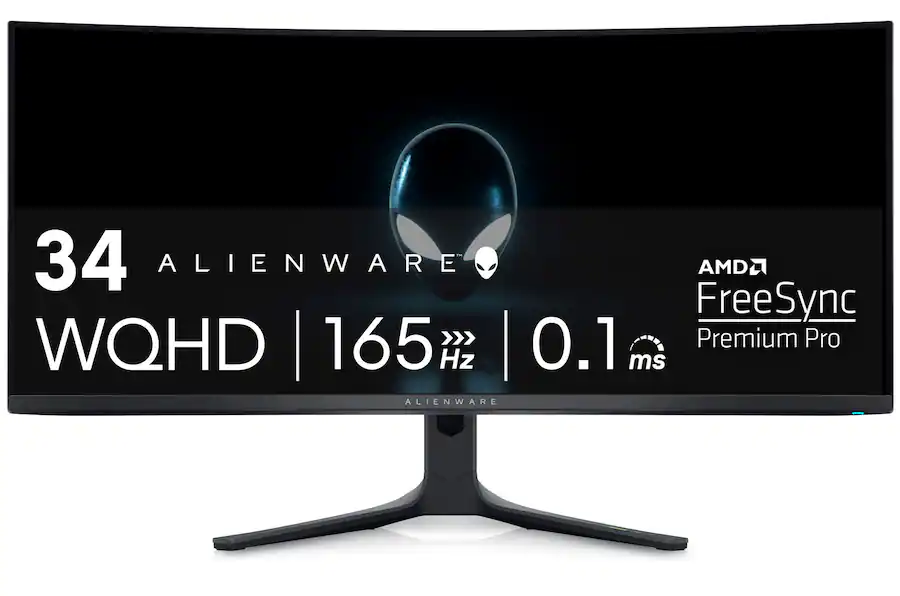 |
LG 34" UltraGear (34GX900AB) 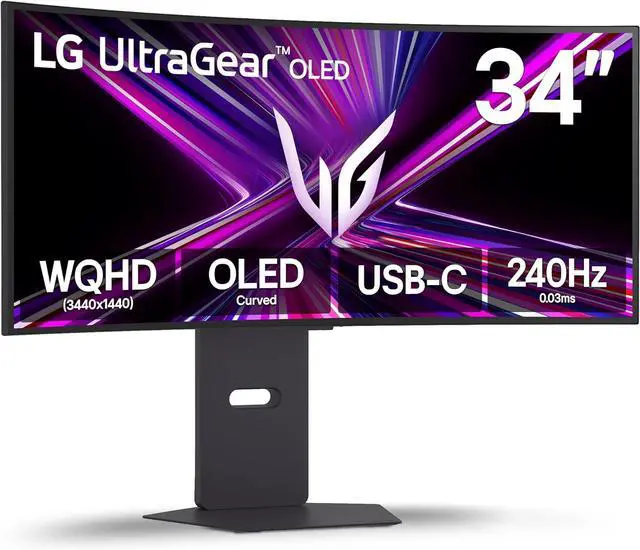 |
Samsung 49" Odyssey G9 Curved Monitor (G91SD) 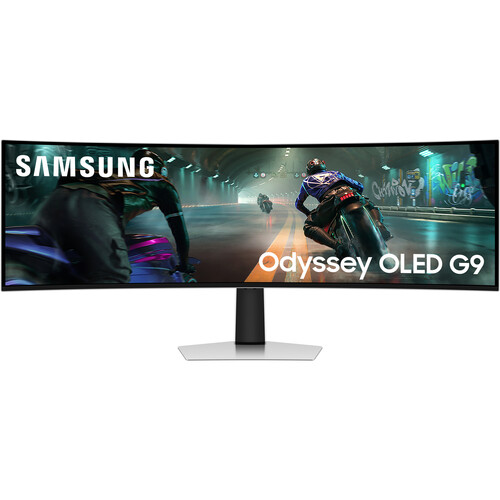 |
MSI 49" MPG 491CQPX QD-OLED  |
|---|---|---|---|---|
| Price | $683.55 | $799.99 | $879.99 | $999.99 |
| Sifty Score | 94 | 90 | 90 | 93 |
| Size / aspect | 34" 21:9 | 34" 21:9 | 49" 32:9 | 49" 32:9 |
| Panel tier | OLED | OLED | OLED | OLED |
| Resolution | 3440×1440 | 3440×1440 | 5120×1440 | 5120×1440 |
| Refresh rate | 165 Hz | 240 Hz | 144 Hz | 240 Hz |
| Curved vs flat | Curved | Curved | Curved | Curved |
| “Gotchas” to know | OLED care behaviors; no built-in speakers/webcam | ⚡ Big discount; some reliability/support complaints in reviews | ⚡ Big discount; Samsung support/QC complaints show up in reviews | OLED care + some PBP/resolution quirks reported |
| Best for | Best all-around 34" gaming immersion + image quality | 34" OLED with very high refresh (great deal) | Value 49" “dual monitor replacement” | Best 49" gaming-first pick (smoothest) |
What I’d do (and one quick question)
If you want the smartest default choice, I’d pick Alienware 34" AW3423DWF Curved (from $683.55 - 3 sellers) for 34" or MSI 49" MPG 491CQPX QD-OLED (from $999.99 - 6 sellers) for 49"—then only jump to the Samsung 49" if the current discount is a big factor.
To make this exact (and avoid buying a resolution your GPU won’t love):
Which are you aiming for—34" or 49" as your main screen?
See 97 results